What Obsidian's AI plugins taught me about building pinakea
Obsidian has AI plugins that promise to make your notes searchable by meaning. Setting them up means choosing embedding models, configuring providers, and managing dozens of technical settings. I built pinakea to solve the same problem without the setup, and for more than just Obsidian.
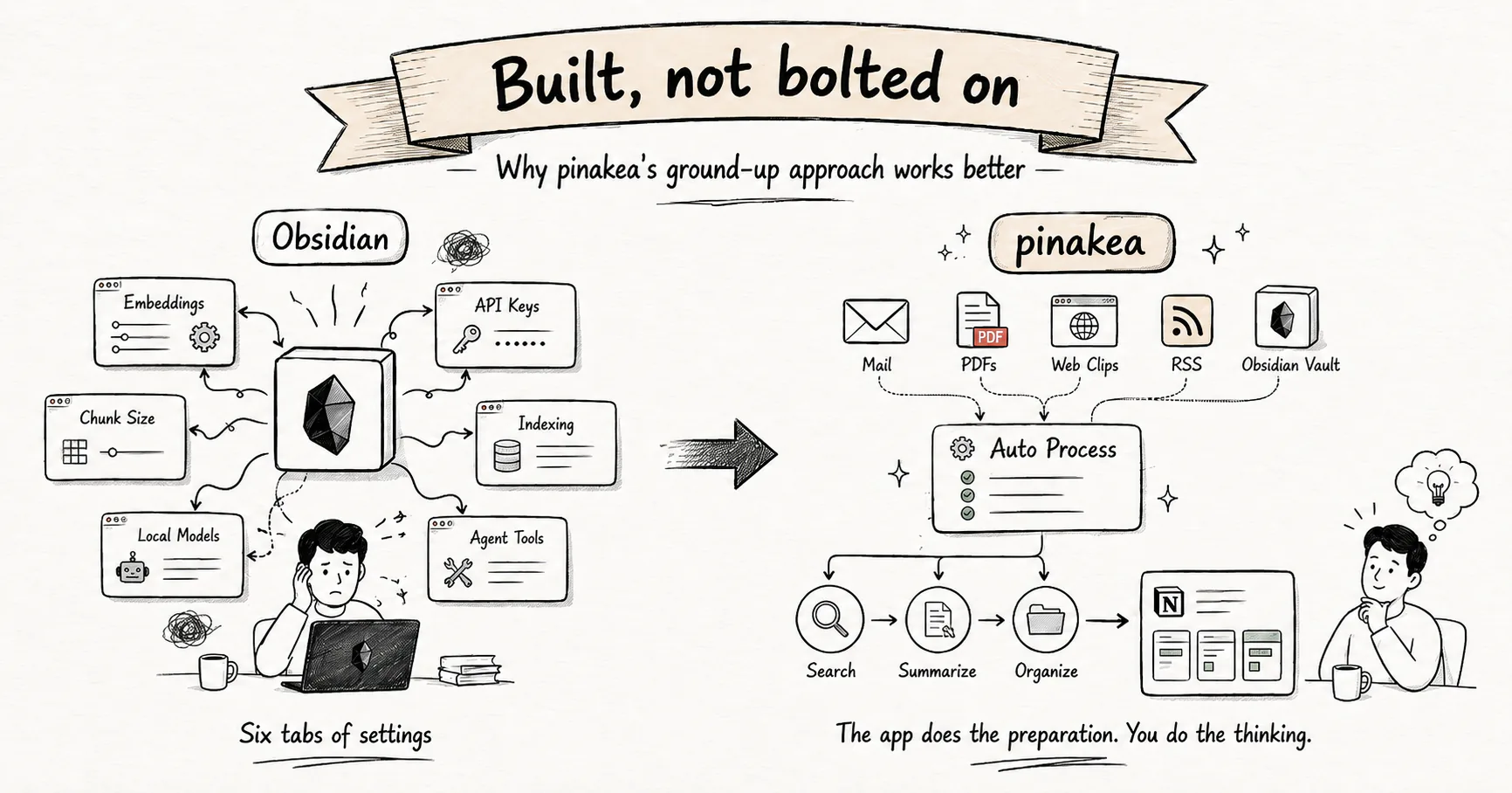
I wrote about why I built pinakea here. Part of that journey was Obsidian. I still use it every day.
When I researched Obsidian’s AI plugins, they seemed to be exactly what I needed, from semantic search over my own notes to chat with my vault and related notes surfaced while writing. The answer to the problem I had been circling for years.
Then I got to enjoy setting them up.
Six tabs of settings
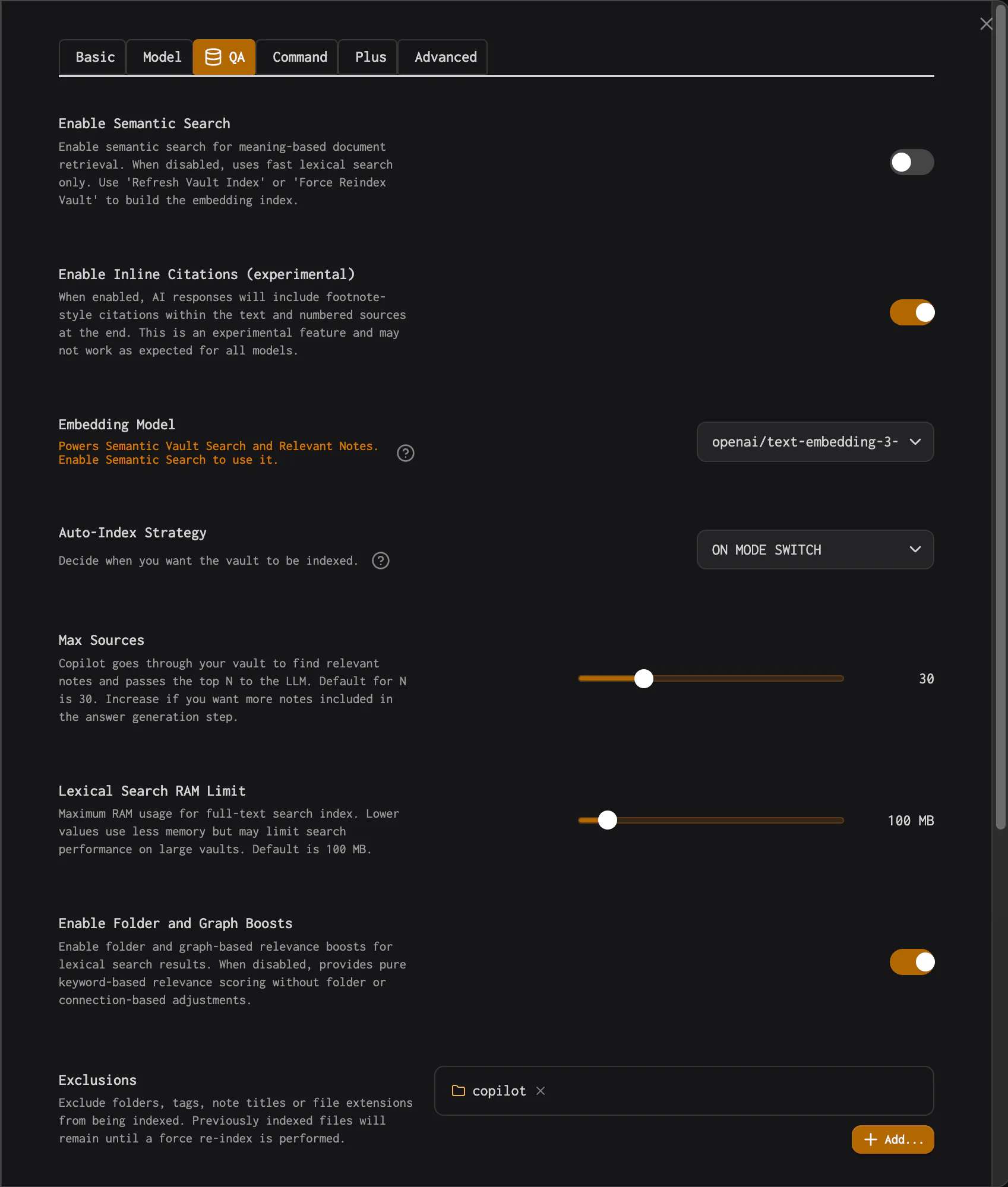
The leading Obsidian AI plugins are technically excellent. The developers care about the problem, and the solutions are ambitious. But the approach has a structural limit. Bolting AI onto Obsidian means the user ends up doing all the configuration work.
Setting them up means choosing an embedding model, picking a provider, entering API keys, setting chunk sizes, configuring an indexing strategy, deciding how many iterations the autonomous agent gets, toggling which tools it may access, and setting a lexical search RAM limit. One plugin warns in its FAQ not to switch embedding models after indexing. If you know what all of this means, welcome to my world. If not, you should not have to learn it to find your own notes.
Then there are local models. The Obsidian community values privacy and local-first design, so most plugins centre around local inference. In practice, this means installing Ollama, downloading large model files, and watching Obsidian struggle under load for hours. I did all of it. It works, technically. But local models cannot do the hard parts well, whether that is grounded answers across a large body of knowledge, reliable summaries of very long documents, or cited chat. For that you need capable cloud models, and that means another round of configuration.
The plugins are often well made. The limitation is the shape of the product. Bolting AI onto Obsidian is not a viable long-term approach for large collections, for mixed sources, for anyone who wants a tool that works without a manual.
And even when the setup succeeds, the plugins stay inside Obsidian. Markdown only, the editor’s performance limits, no access to your mail, your Browser Clips, your PDFs from other places, your screenshots, your feeds. A working knowledge archive is wider than one vault.
Built from the ground up
I built pinakea as a native macOS knowledge tool. The whole system is designed together, from extraction through indexing, search, summarization, and generation. That is what makes the AI good. Not any single technical choice, but the fact that everything was built as one product instead of assembled from parts.
You have choices. But you do not have to research which options work best for your collection, or figure out the right combination of extraction and retrieval. I ran those benchmarks and tested the combinations over months. pinakea ships with defaults that perform because they were selected through sustained testing.
For Obsidian users, pinakea reads your vault as one source among many, with native macOS performance and no load on your editor. Your vault sits next to your Mail, your PDFs, your Browser Clips, and your feeds in one searchable body of work. pinakea uses selected cloud models through OpenRouter, so it can deliver strong retrieval and generation without making you install or tune local models.
The app does the preparation. You do the thinking.